 Install on Shopify
Per Item vs Combined Total
Decide whether each SKU must qualify, or the whole cart together.
Short answer
How to count decides whether a rule's condition is checked against each matching product on its own, or against all matching products added together. With Each item separately, a cart of 3 of product A and 3 of product B fails a minimum of 6. With Combined total, the same cart passes. It is a genuinely different rule, not a cosmetic setting.
- Neither mode is more correct. They answer different business questions.
- Each item separately means every SKU must meet the condition on its own.
- Combined total means the whole matching group must meet it, which is a mix-and-match minimum.
- Count each variant separately only appears under Each item separately, and is on by default.
Inside the app
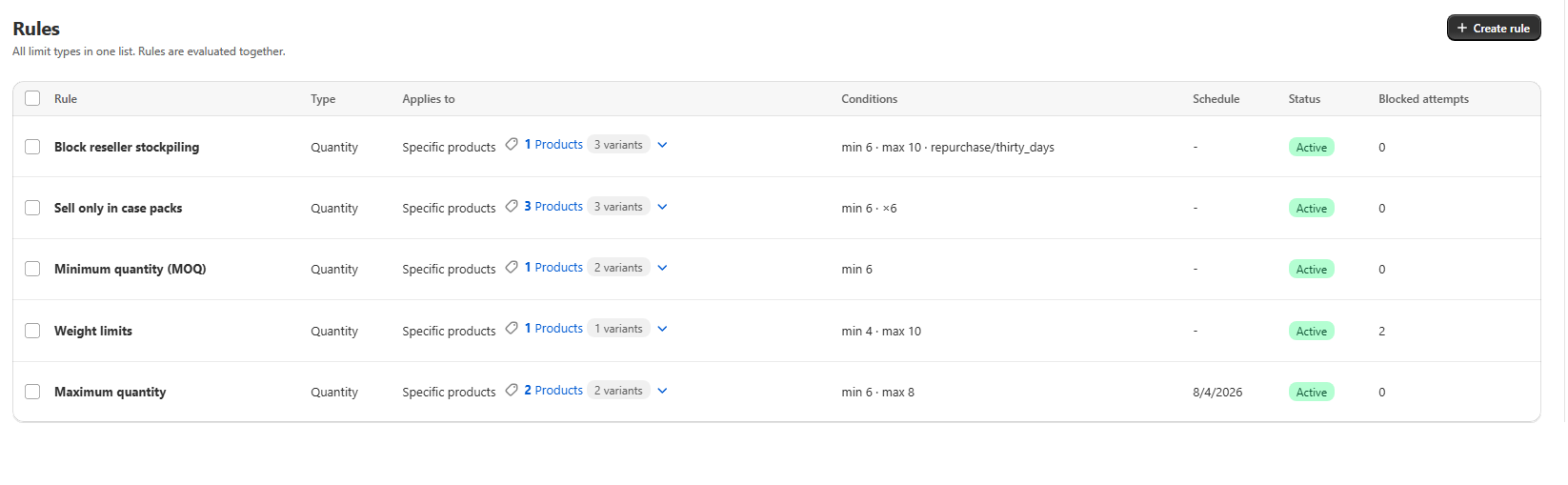
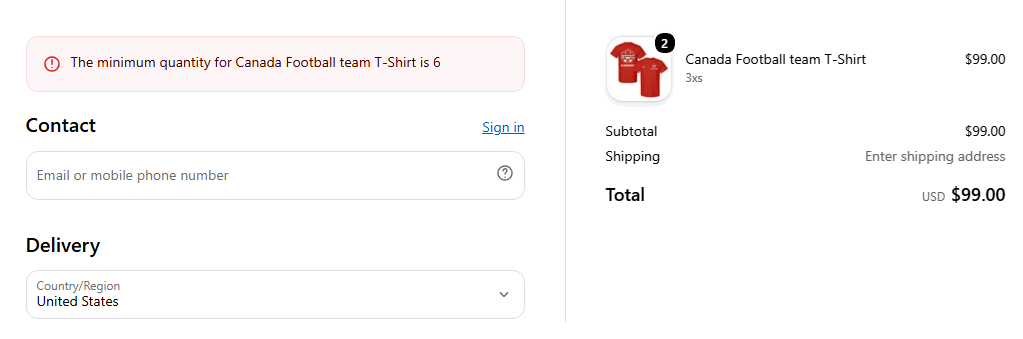
Real screens from Prime MOQ · Order Limits.
What you get
Mix-and-match minimums
Combined total lets a buyer reach a minimum of 6 by taking 3 of one flavour and 3 of another.
Per-SKU discipline
Each item separately enforces "every product you order must be ordered properly", which suits sealed cartons.
Variant level control
Count each variant separately checks Small/Red independently of Large/Blue, or sums them when you turn it off.
Applies to every limit type
The same setting governs quantity, value and weight conditions.
How it works
- 1Set your condition in the Conditions card first, since counting only changes how it is measured.
- 2Open How to count, which sits between Conditions and Products.
- 3Pick Each item separately when every SKU must satisfy the rule alone.
- 4Pick Combined total when the whole matching group is what matters.
- 5Under Each item separately, decide whether Count each variant separately should stay on.
Worked example
Take one rule with minimum quantity 6, scoped to a collection containing products A, B and C, and a cart holding 3 of A plus 3 of B.
| Mode | Result |
|---|---|
| Each item separately | Blocked. Neither product independently reaches 6 |
| Combined total | Allowed. A plus B together equal 6 |
Count each variant separately
When Each item separately is selected an extra checkbox appears. On, the default, each variant such as Small/Red is checked against the condition independently. Off, a product's variants are added together first and then checked as one.
Common mistakes
- Setting a store-wide minimum with Each item separately, which demands the minimum from every single product in the cart.
- Expecting Combined total to enforce per-SKU carton sizes.
- Leaving variant counting on when your variants are colours of the same physical case.
Frequently asked questions
- Which mode should I use for a store-wide minimum?
- Combined total. A store-wide minimum of 6 counted per item would require 6 units of every product in the cart, which is rarely the intention.
- Does the setting apply to value and weight rules too?
- Yes. Combined total is usually the right choice for value and weight, since both are shipment-level constraints.
Best for
Mixed catalogues where some rules are per SKU and others are order level.
Want a walkthrough of this rule?
We'll set it up live on your catalog in 30 minutes.