 Install on Shopify
Cart Value Limits
Enforce a minimum order value before checkout unlocks.
Short answer
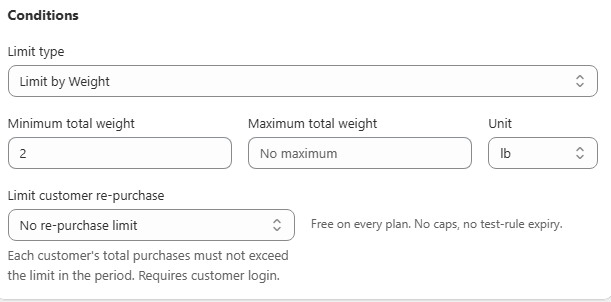
An order value rule blocks checkout unless the total value of matching products in the cart meets a minimum, stays under a maximum, or both. You set Limit type to Value and fill in Minimum total value or Maximum total value. Combined total is the natural counting mode for a value rule, and the check uses actual cart line totals, so an active discount lowers the value counted.
- Value rules are the standard way to enforce a wholesale account minimum.
- Combined total is almost always right. Each item separately would require every line to clear the threshold on its own.
- Scope the rule to a wholesale tag or segment, or retail shoppers will hit it too.
- Discounts reduce the counted value, because the check reads real line totals.
Inside the app
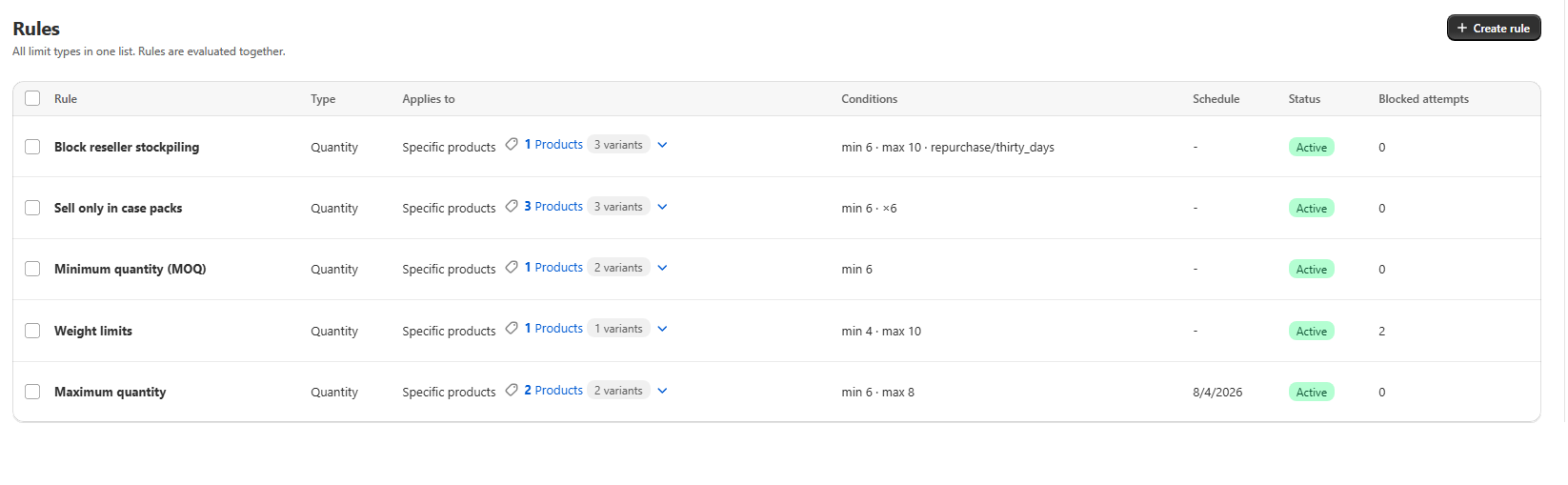
Real screens from Prime MOQ · Order Limits.
What you get
Enforce a wholesale minimum
Require at least 500 in matching products before checkout completes, instead of describing it on a policy page.
Cap oversized orders
A maximum total value stops one account placing an unusually large order for fraud or inventory reasons.
Group scoped
Combine the value threshold with a wholesale tag so retail shoppers never see it.
Live progress in the cart
Shoppers see how far they still are from the threshold, which is what lifts average order value.
How it works
- 1Open the Enforce a wholesale minimum quick-start tile, or create a rule and set Limit type to Value.
- 2Enter Minimum total value, Maximum total value, or both.
- 3Leave How to count on Combined total so all matching lines are added together and checked once.
- 4Restrict Customer eligibility to your wholesale tag or segment.
- 5Save and test with a cart just below and just above the threshold.
What the value check reads
The rule sums the line totals of matching products in the cart, after discounts, and compares that number to your thresholds. Products outside the rule's scope do not contribute, so a wholesale minimum scoped to one collection ignores anything else in the cart.
| Goal | Setup |
|---|---|
| Wholesale account minimum | Minimum total value, scoped to the wholesale tag |
| Freight-worthy orders only | Minimum total value, combined total, store wide |
| Quote-only large orders | Maximum total value so oversized carts go through sales |
Common mistakes
- Leaving eligibility on All customers, so retail shoppers are blocked by a B2B threshold.
- Choosing Each item separately, which forces every single line to clear the amount on its own.
- Forgetting that a large discount can pull a cart back under the minimum.
Frequently asked questions
- Is the minimum checked before or after discounts?
- After. The check uses actual cart line totals, so an active discount lowers the value that counts toward the threshold.
- Can I set both a minimum and a maximum value?
- Yes, both fields sit in the same Conditions card and can be used together.
Best for
B2B stores, freight-heavy catalogues and distributors.
Want a walkthrough of this rule?
We'll set it up live on your catalog in 30 minutes.