 Install on Shopify
Import, Export & API
Move your rules in and out, or wire them up to your own systems.
Short answer
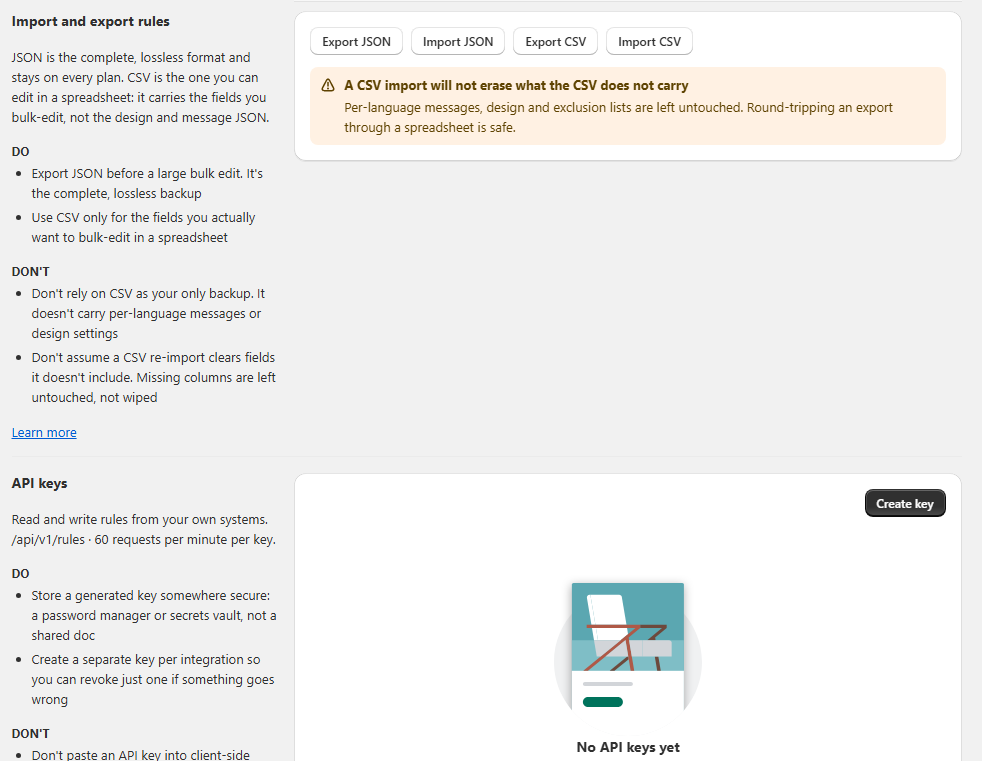
Import, export and API access live together in Settings inside the Prime MOQ admin. JSON is the complete, lossless format that carries every field on every plan, so it is the right choice for backups and full restores. CSV is the spreadsheet format: it carries only the fields you bulk-edit, which makes it fast for large catalogues but unsuitable for design settings and per-language messages. API keys let your own systems read and write rules at /api/v1/rules, capped at 60 requests per minute per key.
- JSON is complete and lossless. It stays available on every plan and is the right backup format.
- CSV is for spreadsheet bulk edits. It only carries the columns you include and leaves everything else untouched.
- A CSV import will not erase what the CSV does not carry: per-language messages, design and exclusion lists stay as they were.
- API keys are created in Settings and give external systems read/write access to your rules.
- The API endpoint is /api/v1/rules and each key is limited to 60 requests per minute.
Inside the app
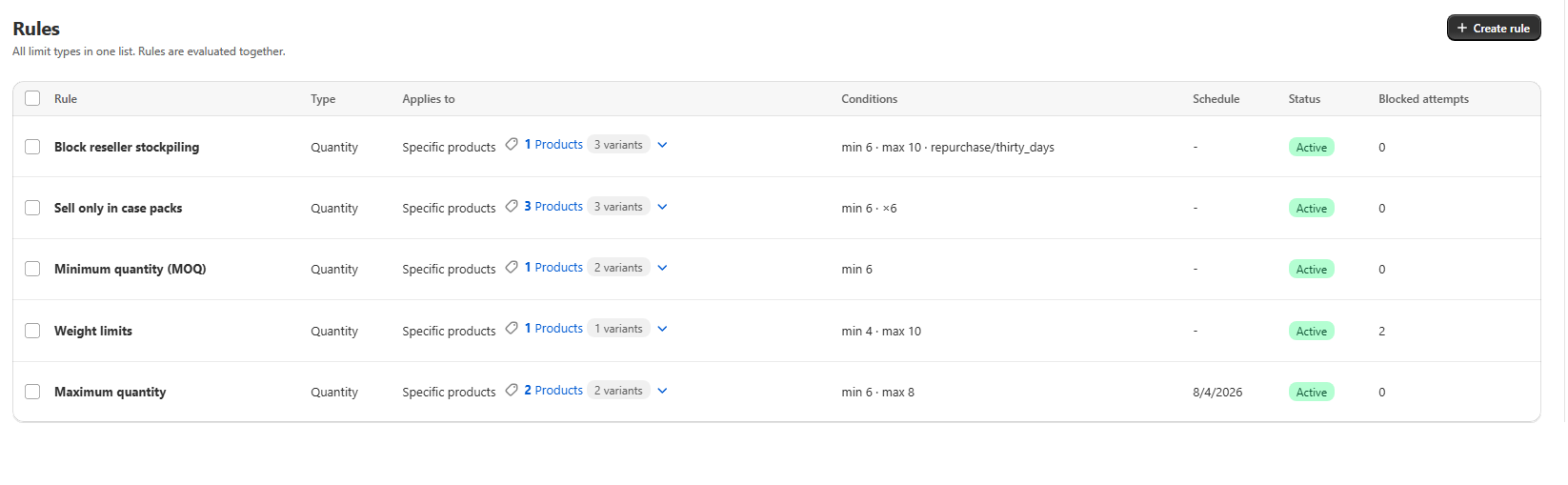
Real screens from Prime MOQ · Order Limits.
What you get
Full JSON backup
Export JSON before a large bulk edit and you have a complete snapshot you can re-import later without losing message text or design settings.
Spreadsheet bulk edits
Export CSV, edit quantities, minimums and scopes in Excel or Google Sheets, then import the same columns back.
Safe round trips
Re-importing a CSV export is safe: columns you did not include are left untouched, not wiped.
Programmatic access
Generate API keys so your ERP, warehouse system or internal dashboard can keep Prime MOQ rules in sync automatically.
How it works
- 1Open Settings in the Prime MOQ admin and find the Import and export rules card.
- 2Choose Export JSON for a complete backup, or Export CSV for spreadsheet editing.
- 3Edit the CSV in your spreadsheet, keeping the header row intact and only changing the columns you need.
- 4Click Import CSV and upload the file. Missing columns are ignored, so nothing is accidentally cleared.
- 5For API access, open the API keys card in Settings and click Create key.
- 6Store the key in a password manager or secrets vault, then call /api/v1/rules from your system.
JSON versus CSV
The two formats serve different jobs. JSON is the source of truth, CSV is the editing shortcut.
| Format | Best for |
|---|---|
| JSON | Complete backups, migrations and restoring a rule exactly as it was |
| CSV | Bulk editing quantities, values, weights and scopes in a spreadsheet |
What CSV does and does not carry
A CSV export includes the fields you bulk-edit in a spreadsheet. It deliberately does not include per-language message JSON, design settings or exclusion lists. That means a CSV re-import is safe: it updates the columns you changed and leaves everything else untouched.
API key security
Each API key is a credential for /api/v1/rules. Treat it like a password.
- Store generated keys in a password manager or secrets vault, never a shared document.
- Create a separate key for each integration so you can revoke just one if something goes wrong.
- Never paste an API key into client-side code or expose it in a browser.
- The limit is 60 requests per minute per key. Build retries with backoff if you expect bursts.
Common mistakes
- Relying on CSV as the only backup. It does not carry per-language messages or design settings.
- Assuming a CSV re-import clears fields it does not include. Missing columns are left untouched, not wiped.
- Sharing one API key across every integration, which makes revocation painful when one system needs to be cut off.
- Embedding an API key in frontend code, where a visitor can read it.
- Trying to import design settings through CSV, which the format intentionally does not support.
Frequently asked questions
- Where do I find import, export and API settings?
- All three live in the Settings page of the Prime MOQ admin. Look for the Import and export rules card and the API keys card.
- Will importing CSV erase my existing rules?
- No. CSV import updates the fields in the columns you include and leaves every other field, including messages and design settings, untouched.
- Is JSON export available on the free plan?
- Yes. JSON is the complete, lossless format and is available on every plan.
- What can I do with the API?
- You can read and write rules from your own systems at /api/v1/rules, with a limit of 60 requests per minute per key.
- Can I restore a rule exactly as it was?
- Yes, use the JSON export and import. JSON carries every field, so a re-import restores the rule completely.
Best for
Merchants who manage hundreds of rules, run internal systems, or want a safe backup before bulk changes.
Want a walkthrough of this rule?
We'll set it up live on your catalog in 30 minutes.