 Install on Shopify
Maximum Order Quantity
Protect limited stock from resellers and bulk sweeps.
Short answer
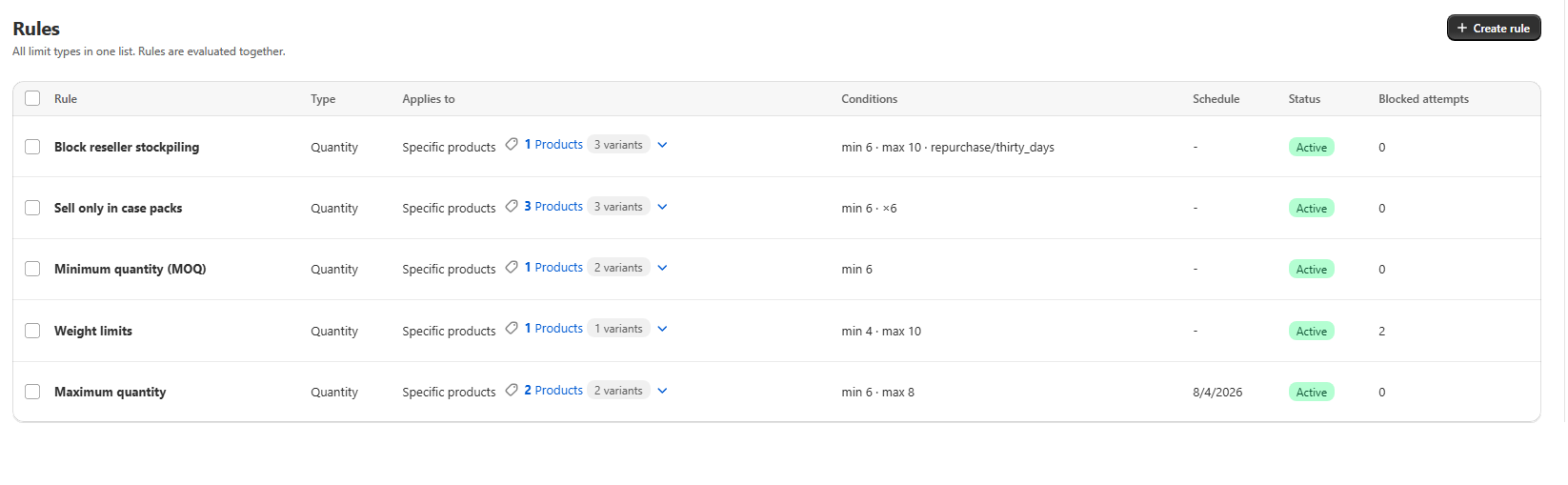
A maximum quantity rule blocks checkout when the cart holds more than a set number of units of the products it covers. You set Limit type to Quantity and fill in Maximum quantity, leaving Minimum quantity blank. It caps a single order only. To cap a customer across several orders you add a repurchase period to the same rule. The quick-start tile creates this rule pre-filled with a maximum of 2.
- A maximum is a per-order cap. The same customer can place two orders unless you add a repurchase limit.
- Pair it with a schedule for limited drops so the cap removes itself when the drop ends.
- Scope it tightly. A store-wide maximum will also block large legitimate wholesale orders.
- The cap follows How to count, so variants can be capped individually or summed first.
Inside the app
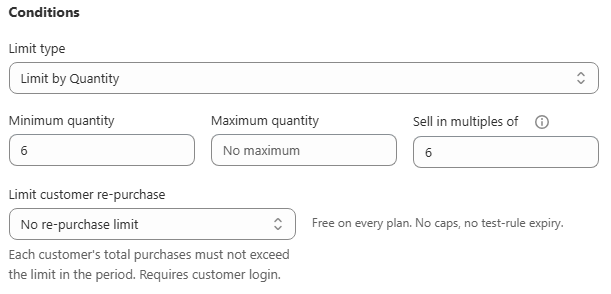
Real screens from Prime MOQ · Order Limits.
What you get
Protect limited stock
Cap a limited-edition drop at 2 per order so one buyer cannot clear the inventory before anyone else.
Stop scalping and resale abuse
Limit a hot item so it cannot be bought out in a single cart, then add a repurchase period to close the second-order loophole.
Per-household style caps
Maximum 4 units of a promotional item, scoped to the promo collection rather than the whole store.
Different caps per group
Use Customer eligibility on one rule to apply the cap to retail shoppers and leave wholesale tags unrestricted.
How it works
- 1Open the Maximum quantity quick-start tile, or create a rule and set Limit type to Quantity.
- 2Enter your cap in Maximum quantity and leave Minimum quantity blank.
- 3Scope the rule to the specific product or collection you need to protect, not the whole store.
- 4If the cap is drop-specific, set a start and end date in Schedule so it turns itself off afterwards.
- 5Save. The rule enforces immediately, including on your own test orders.
Per order, not per customer
A maximum checks one cart at a time, so a determined buyer can place a second order immediately after the first. To cap the total a customer can buy across separate orders, add a repurchase period to the same rule. Repurchase reuses the same Maximum quantity field, so one number drives both checks.
Verify it works
Increase the quantity stepper in the Preview card past your maximum and confirm the message text. Then add more than the maximum to a live cart and confirm checkout is genuinely blocked, not just warned about.
| Cart | Expected result |
|---|---|
| 2 units, at the maximum | Allowed |
| 3 units | Blocked, maximum limit message shown |
Common mistakes
- Expecting a per-order maximum to stop repeat orders. Add a repurchase period for a cross-order cap.
- Applying the cap store-wide, which also blocks legitimate wholesale orders unless eligibility excludes those tags.
- Forgetting the cap after a drop. Set an end date instead of relying on memory.
Frequently asked questions
- Does the cap apply per variant or per product?
- It follows How to count. With Each item separately and Count each variant separately on, every variant gets its own cap. Turn the checkbox off and a product's variants are summed before the cap is checked.
- Can I cap the cart value instead of the unit count?
- Yes. Use the Value limit type with a Maximum total value, which caps the money total of the matching cart lines rather than the number of units.
Best for
Limited drops, high-demand low-stock items and any store fighting reseller bulk buying.
Want a walkthrough of this rule?
We'll set it up live on your catalog in 30 minutes.